AI Multi Chat
Chat with GPT, Gemini, Claude and many more - run the same prompt across multiple models side by side to compare responses instantly.
QuenDraft AI helps you write emails, fix grammar, chat with AI, summarize videos, humanize text, create diagrams, mind maps, infographics, and more.




Every plan includes AI Chat, writing tools, visual generators, and our browser extension.
Chat with GPT, Gemini, Claude and many more - run the same prompt across multiple models side by side to compare responses instantly.

Get instant summaries and full transcripts of any YouTube video - no more watching hours of content to find key points.

Rewrite sentences and paragraphs to match your tone while keeping the original meaning intact.

Turn ideas into clear flowcharts and diagrams from a simple prompt - perfect for docs and presentations.

Check if text reads as AI-written, then humanize it so it sounds natural and authentic.

Create visual infographics from your content - great for social posts, slides, and explainers.

Break down complex topics into structured mind maps you can edit, share, and export.
Write better on Gmail, LinkedIn, Notion, and more. Works in Chrome, Edge, Brave, and Opera.
QuenDraft AI brings AI to Gmail, Slack, LinkedIn, Docs, and the sites you already use.










Summarize videos, chat with PDFs, generate visuals, and compare top AI models - all inside the QuenDraft AI web app.
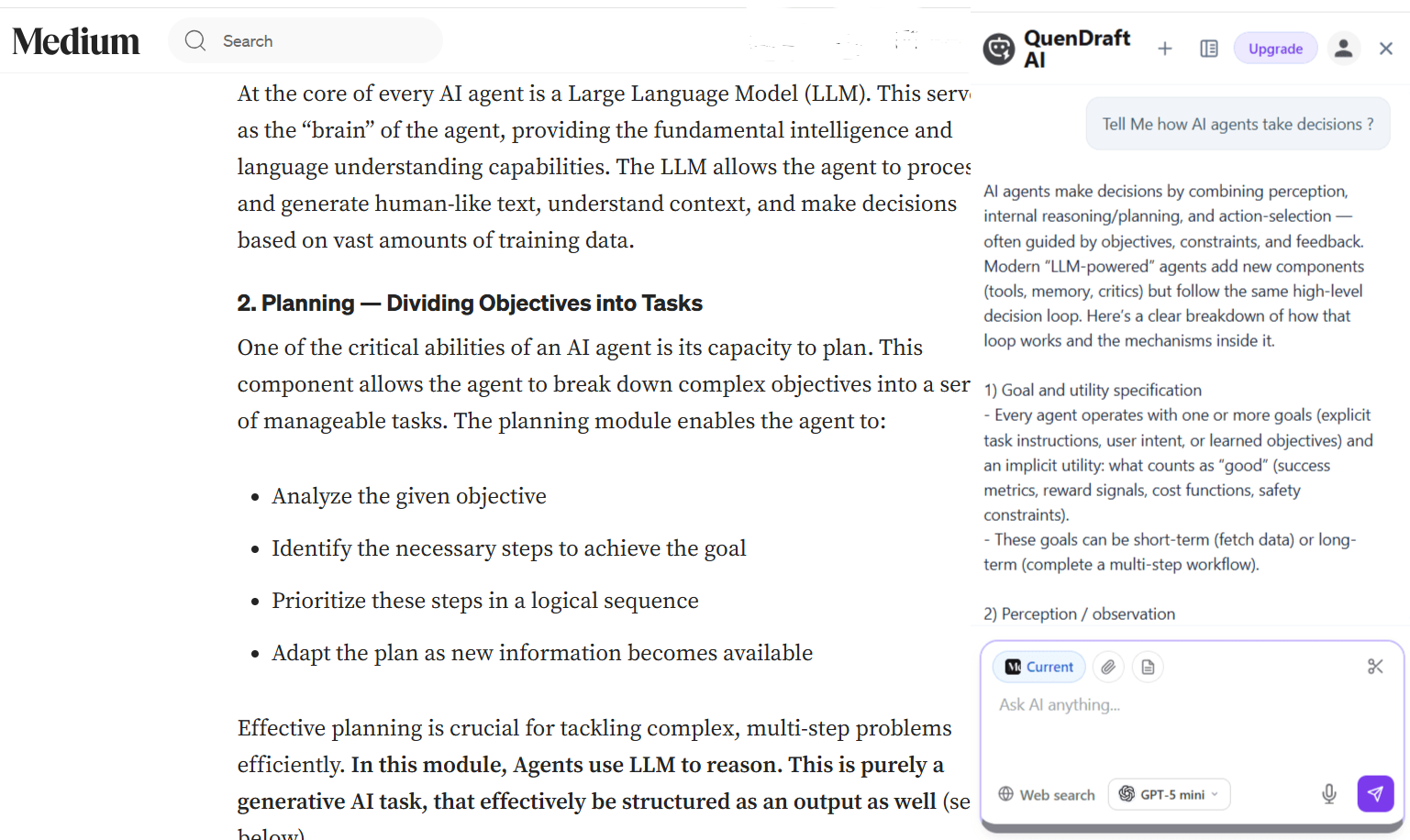
Open a smart AI panel on any webpage - ask questions, translate text, capture screenshots, and chat with AI without switching tabs.
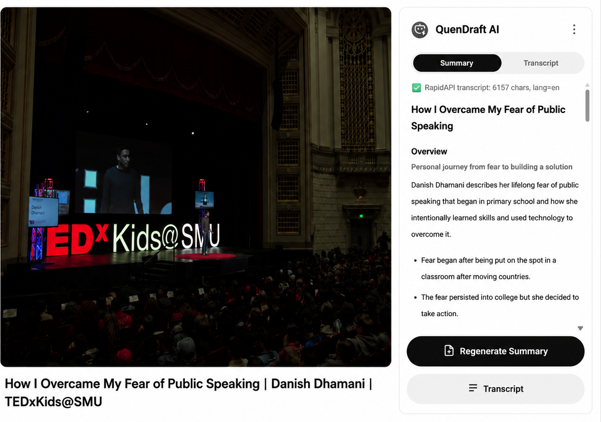
Summarize any YouTube video and read its full transcript - no need to watch the entire thing.
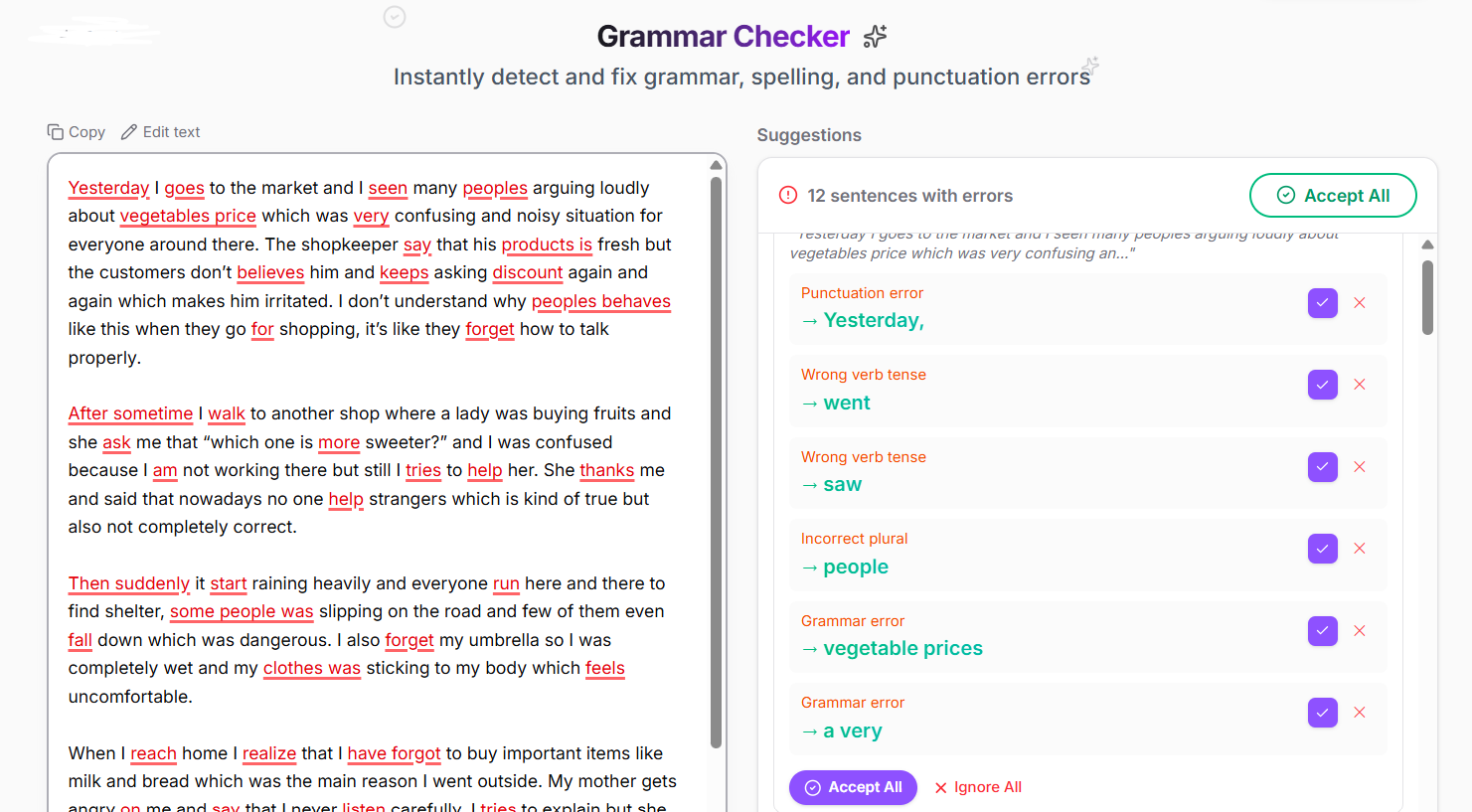
Fix grammar, spelling, and punctuation instantly - write with confidence on any website you use.
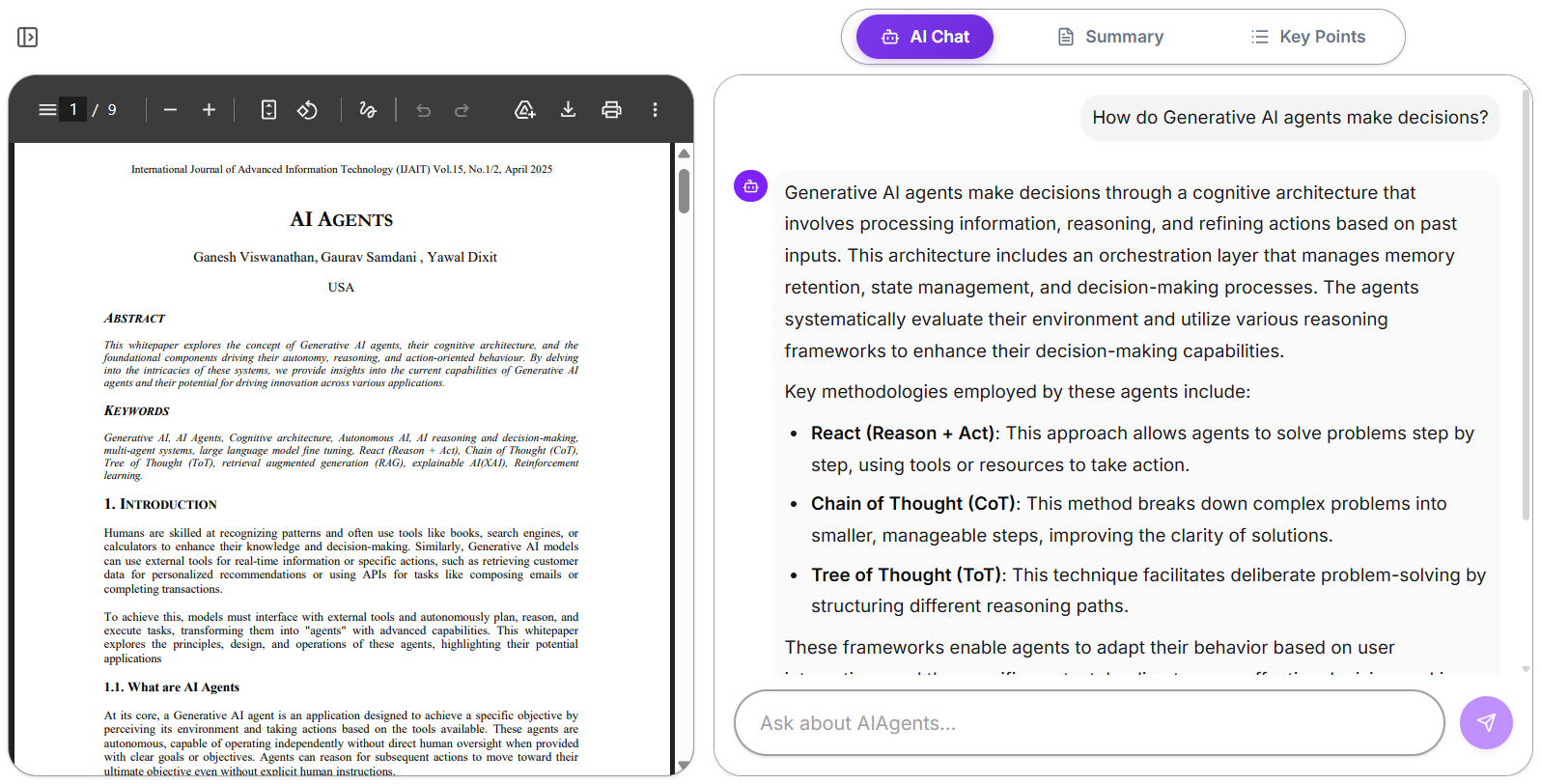
Upload a PDF or paste a YouTube link and chat with it - get instant AI answers from your documents and videos.
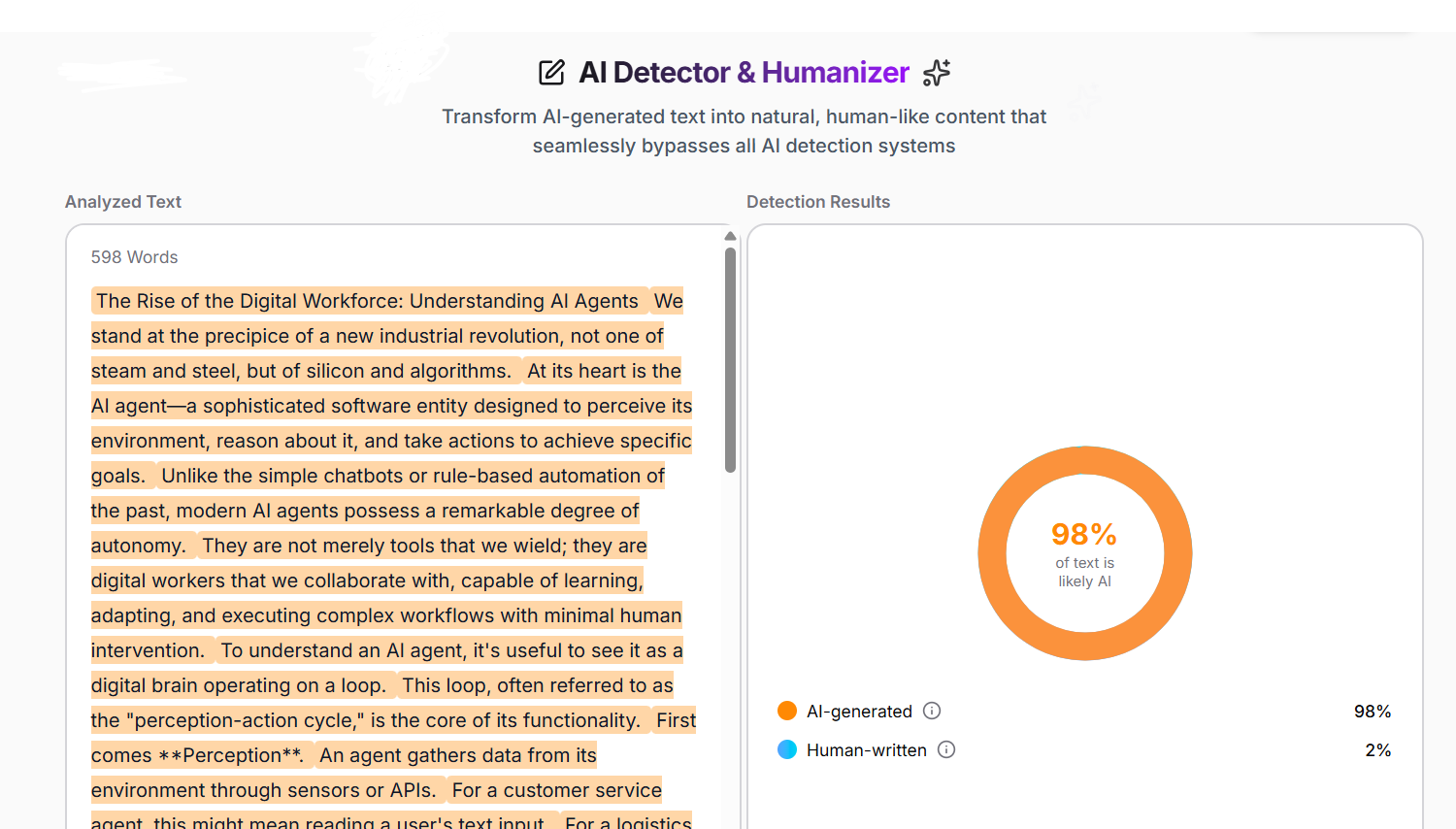
Detect whether text was AI-written, then humanize it to sound natural, authentic, and undetectable.
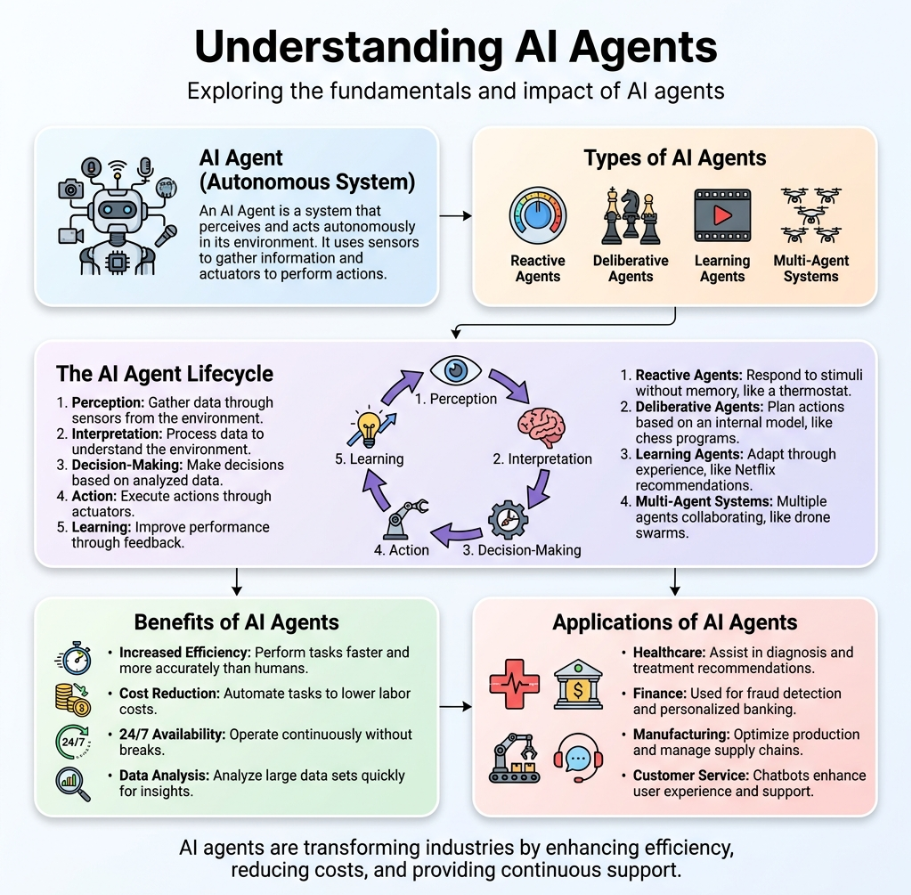
Turn any text or idea into a stunning visual infographic - perfect for social posts, decks, and reports.
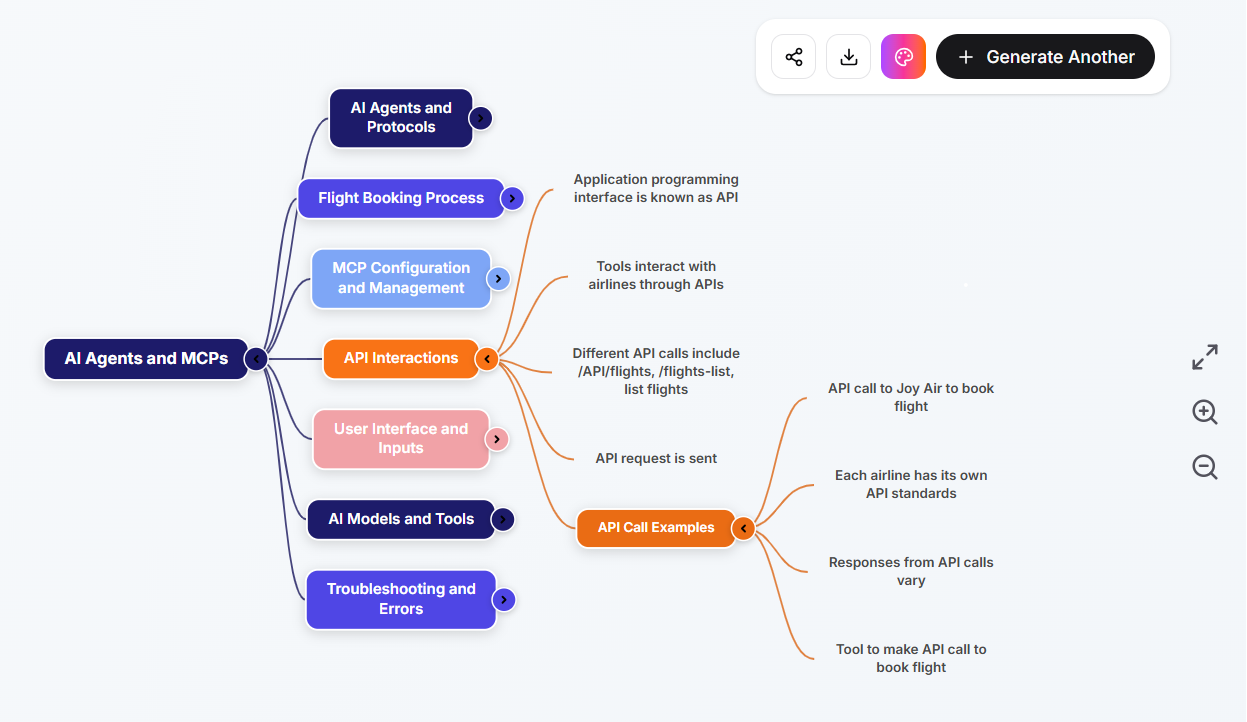
Break down complex topics into clear, editable mind maps you can explore, share, and export.
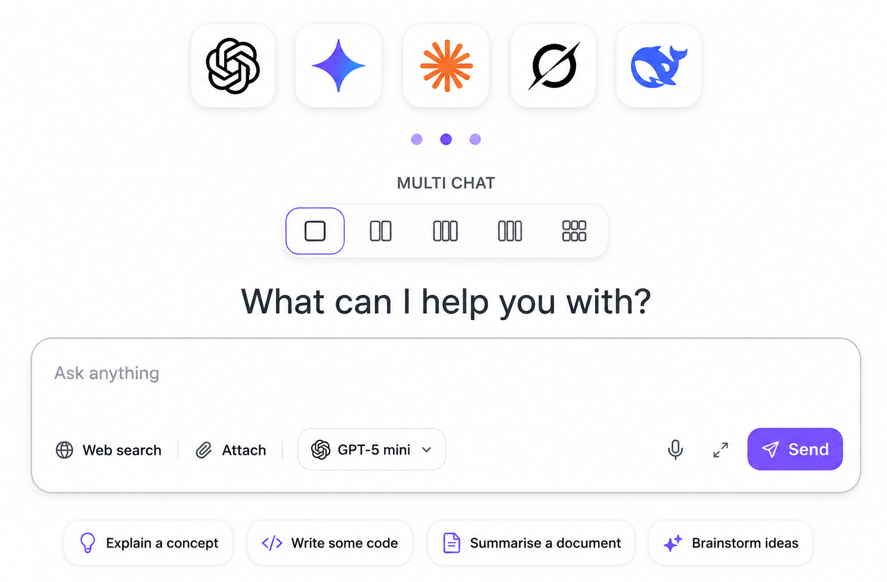
Run the same prompt across multiple AI models side by side and compare their responses instantly.
AI Multi Chat
One subscription, all the best models
Run GPT, Claude, Gemini, Grok, Mistral, Llama, and DeepSeek side by side. Switch models mid-conversation without juggling separate apps or stacked bills.

AI Multi Chat
One subscription
GPT
$20
Claude
$20
Gemini
$20
Llama
$20
DeepSeek
$20
Grok
$16
Mistral
$20
One subscription replaces 7+ separate AI plans.
GPT
$20/mo
Claude
$20/mo
Gemini
$20/mo
DeepSeek
$20/mo
AI Multi Chat
One subscription
$15/mo
Grok
$16/mo
Mistral
$20/mo
Llama
$20/mo
Browser extension
Email Integration, AI Reply, Ask AI on any page, and the floating writing bar are all part of the QuenDraft AI browser extension — install once and use them on Gmail, LinkedIn, Slack, Docs, and every site you browse.
Writes the reply while you are away
Connect your Gmail and wake up to replies already drafted, in the thread, ready for you to send.

AI Reply built directly into your email client - Gmail, Outlook, Zoho Mail, Zendesk, and Freshworks supported.
Gmail
AI-powered email replies
QuenDraft AI adds an AI Reply button directly next to Gmail's Reply button. It reads the full thread and generates a reply that sounds like you - professional, concise, and ready to send.
Outlook
AI-powered email replies
QuenDraft AI integrates seamlessly into Outlook's web interface. Click AI Reply next to the Reply button and get an intelligent draft based on your conversation - instantly.
Zoho Mail
AI-powered email replies
QuenDraft AI adds an AI Reply button directly in Zoho Mail's interface. It reads the full email thread and generates a polished reply - inserted straight into the compose box.


One-click AI replies on LinkedIn, Slack, Teams, WhatsApp, X, Reddit, Messenger, and more.
AI-powered posts, replies & comments
QuenDraft AI works across every LinkedIn interaction — craft engaging posts, reply to DMs and connection requests, and respond to comments, all without leaving the page.
Slack
AI-powered message replies
Stop overthinking channel replies and DMs. QuenDraft AI generates clear, concise Slack messages that get straight to the point - no copy-pasting needed.
Microsoft Teams
AI-powered message replies
Draft clear, on-brand replies in Teams chats and channels. QuenDraft AI reads the thread and writes the message for you - right inside the compose box.
AI-powered message replies
Whether it's a customer chat or a personal message, QuenDraft AI drafts the right WhatsApp reply in seconds - directly inside the message box.
Twitter / X
AI-powered message replies
Never stare at a blank reply box again. QuenDraft AI generates punchy, relevant Twitter replies that match the conversation - under 280 characters, every time.
AI-powered posts & replies
QuenDraft AI helps you write on Reddit end-to-end — draft a full post from a quick idea or reply to comments with context-aware responses that fit the subreddit.
Open the QuenDraft side panel on any website. Ask questions, summarize articles, translate pages, and chat with screenshots.

Ask AI
Chat with any page
Click the QuenDraft AI icon or the Ask AI button on the right edge of any page. The side panel reads the page context and helps you understand, rewrite, and explore content - right beside what you're reading.
Summarize
One-click page summary
Long article or research page? Hit Summarize in the side panel and get a clear, concise overview of the key points - without reading every paragraph.
Translate
Page-wide translation
Reading content in another language? Translate the entire page from the side panel - pick your target language and get a readable translation without leaving the tab.

Screenshot Chat
Visual Q&A
Capture any part of the screen - charts, diagrams, UI, or images - and ask AI about it. Get explanations and answers from visual content directly in the side panel.
Write anywhere on the web or highlight text on any page, blog, or website. The floating bar appears instantly so you can fix grammar, rewrite, translate, summarize, or explain in one click.
Team notes
Quick update from Slack before we send it.
this deck isnt ready yet can we push the client call to friday
Fix Grammar
This deck isn't ready yet. Can we push the client call to Friday?
Select it.
Fix Grammar
Clean up spelling and grammar in one tap.
Translate
Switch languages without leaving the page.
Summarize
Condense long passages into the key points.
Improve Writing
Tighten tone and clarity while keeping your meaning.

Explain
Get a plain-language breakdown of any selection.

Highlight
Mark what matters, then act on it instantly.

One Click Disable
Pause QuenDraft on any site when you need a clean page.
Install once and write better everywhere. QuenDraft AI detects text fields on Gmail, LinkedIn, Twitter, Notion, and thousands of other sites, then gives you instant AI tools right where you type.
Works with your favourite apps
Here's what teams and professionals say about QuenDraft AI.
QuenDraft AI transformed how our team communicates. We save hours every week and the quality of our writing has never been higher. The Chrome extension fits right into Gmail and Slack.

Sarah Chen
Head of Marketing · Layered Inc.
Absolutely revolutionary. Best writing tool I've used in years.

Venkatesh
Freelance Writer
I write three times as many LinkedIn posts as I used to. QuenDraft AI handles the first draft and I just personalise. Game-changer for my workflow.

Priya Nair
Operations Manager
I can't imagine going back to writing without it.

Chirayu Trivedi
Content Strategist
The grammar suggestions are incredible. It's like having a professional editor available 24/7 — and the extension works everywhere I need it.

Emily Rodriguez
Technical Writer
Clean, fast, and actually useful on real work sites.

David Kim
Startup Founder
Our support team uses QuenDraft AI in Zendesk every day. Replies are clearer, friendlier, and we close tickets faster without sounding robotic.

Aisha Patel
Customer Success Lead
The paraphraser alone is worth it.

Tom Becker
Journalist
Privacy by default
QuenDraft is built for people who write for a living - your drafts aren’t inventory, and your prompts aren’t a side product.
We don’t sell your drafts, prompts, or chats - and we don’t share them with advertisers.
What you write in QuenDraft isn’t used to train our models or anyone else’s.
Every request travels over TLS 1.2+, so your content stays encrypted on the wire.
Everything you need to know about QuenDraft AI.
Chat, summarize, create, and work smarter across the web with one free AI workspace.