AI3 min read
Ask AI on Any Website with QuenDraft’s Side Panel
Open the side panel on any page, chat with the content you’re reading, and get answers without switching tabs.
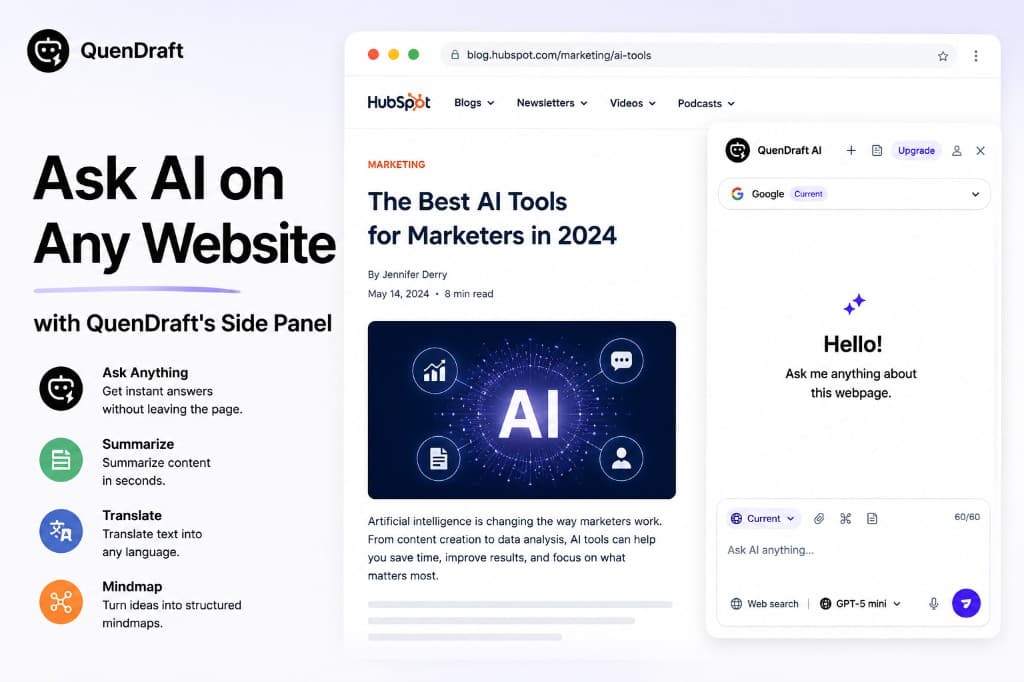
Most AI chat tools live in another tab. QuenDraft’s Ask AI side panel sits beside the page you’re already on — so context stays in view while you explore.
Chat with the page you’re viewing
Open Ask AI from the extension icon or the page rail. QuenDraft reads the page context so questions like “what’s the main argument?” or “explain this section simply” get grounded answers.
Follow-ups without losing place
Keep the conversation going: clarify a term, compare two sections, or ask for a rewrite. The panel stays open next to the original content.
Works across the web
Wikipedia, docs, news, research pages, dashboards — anywhere you browse. No copy-paste into a separate chat window.