Chat with Screenshots in QuenDraft’s Side Panel
Snip charts, diagrams, or UI from any page and ask AI about them — answers appear in the same side panel chat.
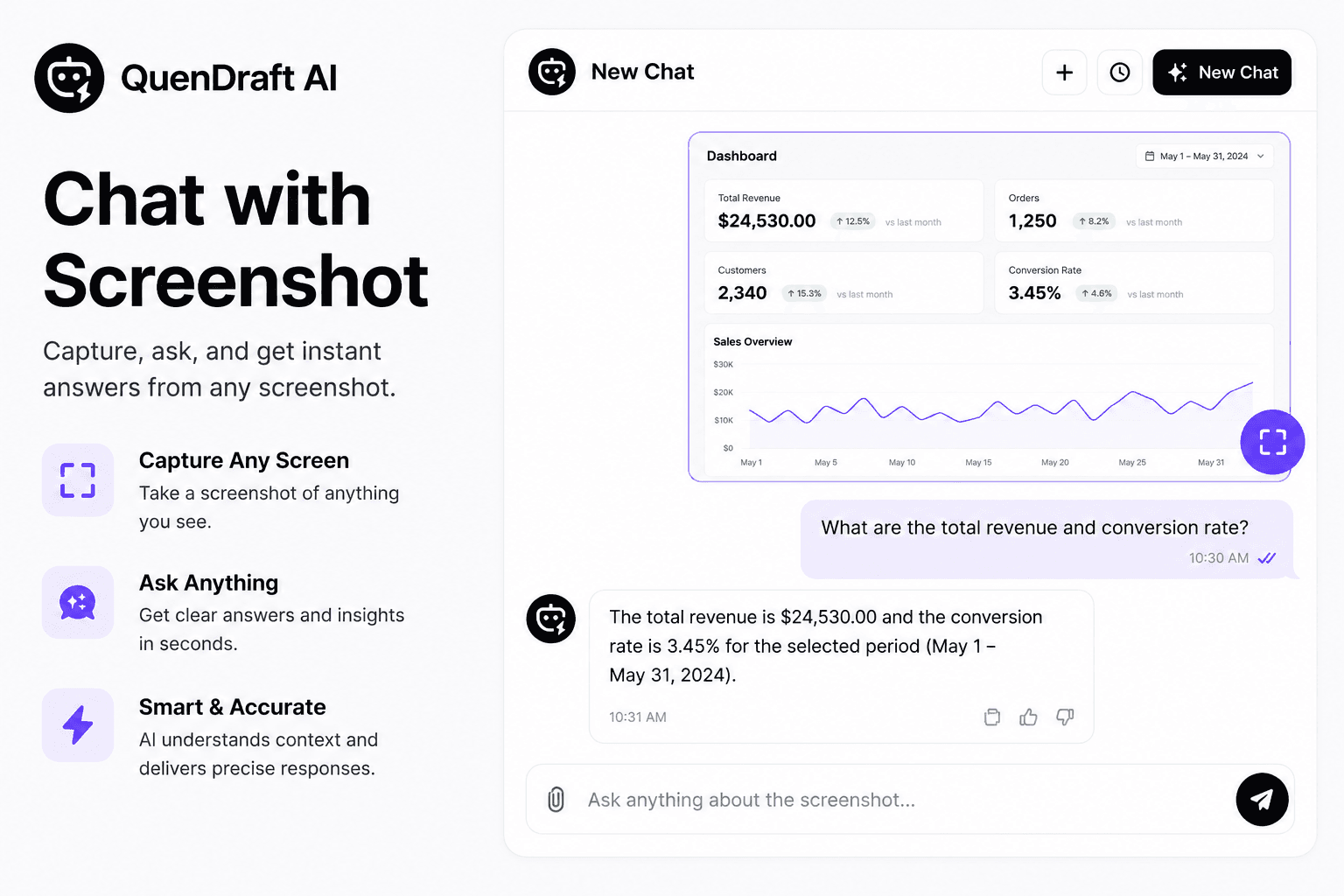
Not everything on the web is plain text. QuenDraft’s Screenshot Chat lets you capture a region of the screen and ask questions about what you see — charts, diagrams, tables, or UI — without leaving the page.
Snip, then ask
Draw a selection over the area you care about. QuenDraft attaches the capture to the side panel chat so you can ask “what does this chart show?” or “explain this error message.”
Visual content, same workflow
Answers land in the same Ask AI panel you already use for text. Follow up, clarify, or compare to the live page still open beside you.
When it’s most useful
Dashboards, design references, slide decks in the browser, and dense data visuals — anywhere a screenshot says more than a copy-paste would.